Request
Capture a request and route it to the appropriate team for review.

Process Intelligence Hub · Optional module
The ready-to-use operational layer for Microsoft Fabric. Your Lakehouse already contains the data your business runs on. PIH puts that data to work.
Connect PIH directly to your existing Microsoft Fabric Lakehouse. Use trusted, referenced data to drive processes, workflows, assignments, enrichment and writeback, without building a new operational layer from scratch.
Plug in. Enrich. Execute. Write back.
Capture and enrich trusted data.
Keep referenced records visible.
Make the next step visible.
Review and approve operational updates.
Lakehouse intelligence, put to work
Keep your existing data foundation. Reference trusted records. Connect the operational workflow directly to your Lakehouse.
Use referenced Lakehouse data to give forms and assignments their business context. Capture new information, enrich the existing record and write operational updates back to the same connected foundation.
Just connect, configure your process and start operating on the intelligence already in your Lakehouse.
Microsoft Fabric IQ provides business context through ontologies, data bindings, relationships and agents. PIH focuses on making operational execution immediately available on the data foundation you already have.
Explore Microsoft Fabric IQ →Four modules. One operational hub.
Start with the work that benefits from better structure, visibility and follow-through.
Build processes around trusted, referenced Lakehouse data. Guided sections, conditional logic and validation help users capture consistent operational information and enrich the records your business already uses.
Keep referenced business records and their operational updates easy to search, filter and manage. Registers give users a practical way to work with the information behind their processes.
Assign tasks to the people responsible for the next step. Role queues, due dates and work-in-progress visibility make handovers easier to follow.
Route submissions for review and approval. Managers or approvers can see what needs their attention and move work through its configured stages.
From submission to completion
Assignments, role queues and approvals make the next step visible, with clear ownership and status.
A person creates a request and captures the required information.
The appropriate role queue receives the work.
A manager or approver reviews the submission.
Work is assigned or completed, with status visible.
Forms & registers
Use guided forms for structured capture and registers for ongoing record management. Search, filter and open records to keep operational information useful beyond its first submission.
Sections, conditional steps and validation help people complete work consistently.
Registers make records easier to find, review and manage.
Useful after submission
Retain operational submissions for review, history and configured detail or PDF outputs. Enrich referenced Lakehouse records and write updates back so the information remains useful for reporting and follow-through.
Away from the desk
Selected processes and assigned work can support offline participation, then synchronise when connectivity returns.
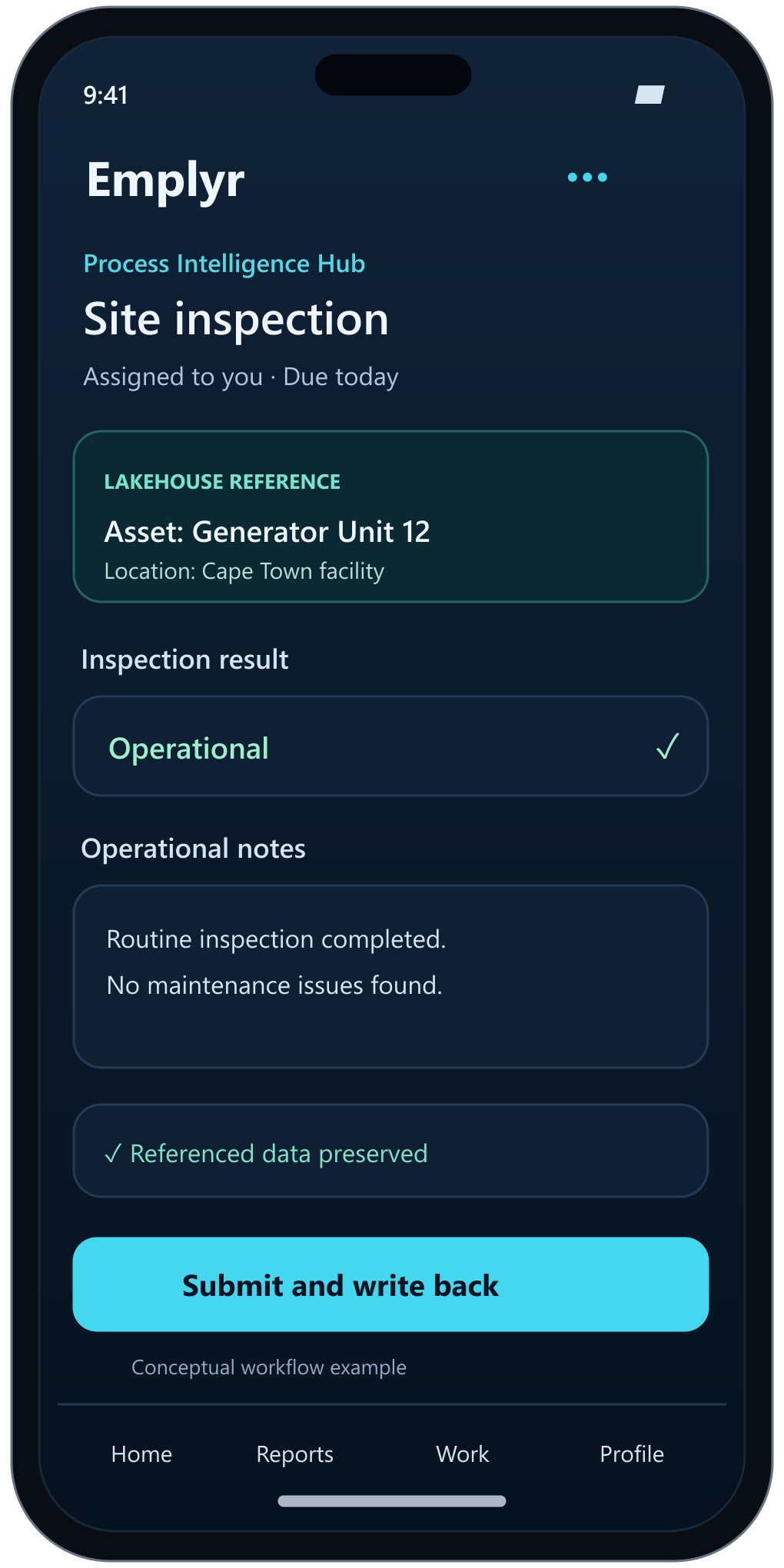 Process Hub experience
Download the configured processes or assigned work needed for participation away from connectivity.
Use the selected downloaded process content to capture information and move work forward.
Synchronise when connectivity returns so the wider process reflects the work completed.
Offline participation applies to selected configured processes. Power BI report viewing remains online.
Explore the mobile app experience →Choose your first process
Where do handovers, approvals or status checks consume the most effort today? Choose one process to demonstrate first.
Capture a request and route it to the appropriate team for review.
Structure inspections, capture results and keep the record available.
Maintain ongoing operational records with visibility and ownership.
Give repeatable work a clear assignment, status and follow-through.
Your first operational workflow
Choose one process that needs better structure, visibility or follow-through, and explore how PIH could support it.