
The Emplyr platform
Your Fabric.
One connected experience.
Explore the modules that bring administration, governed reporting and operational participation together around your Microsoft Fabric environment, in your brand.
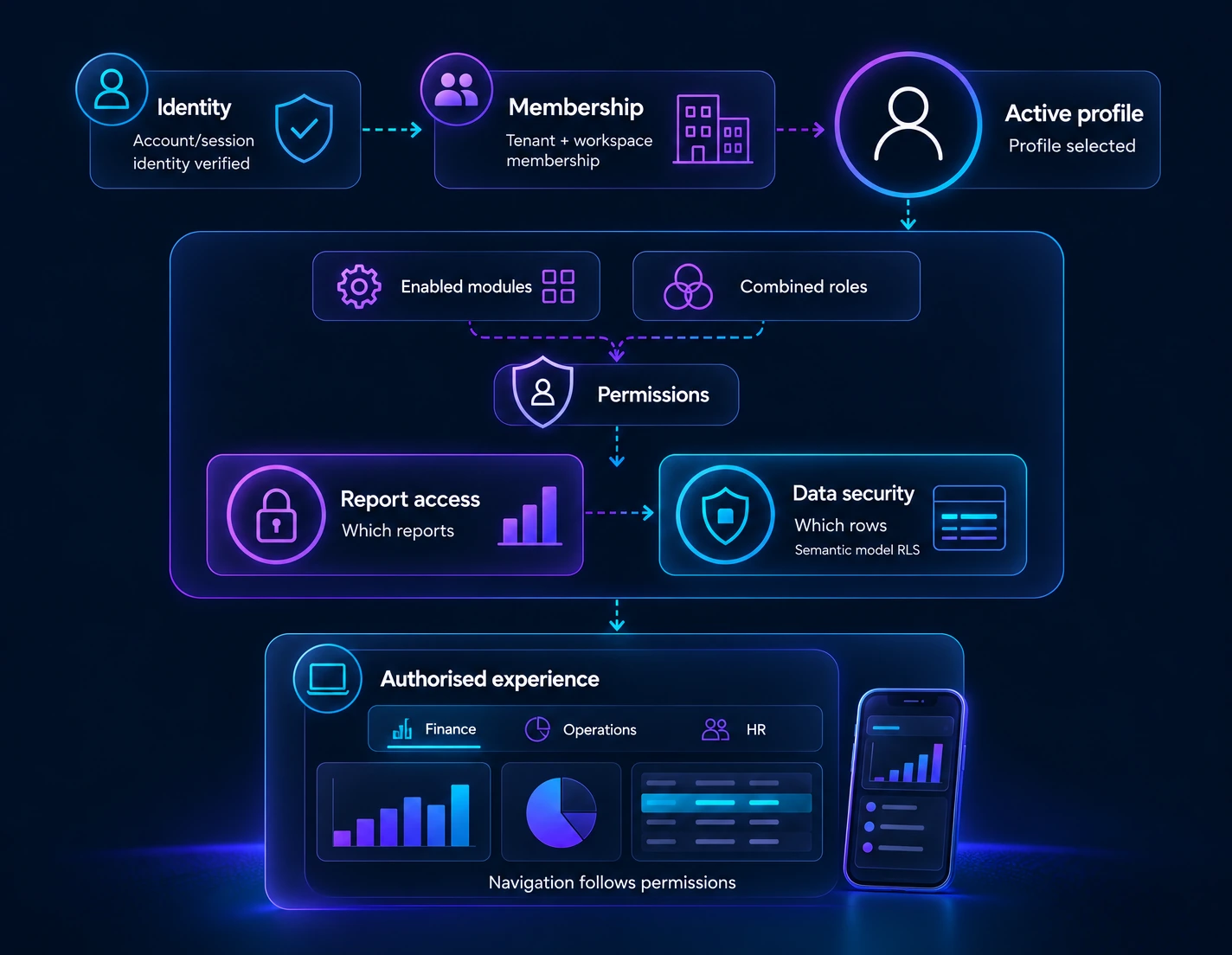
Keep capacity, customers, departments and report audiences in clear context. Profiles and permissions help each audience reach the reporting and operational tools relevant to its role.
The admin & experience layer
Manage customers, capacity, users, access, reporting and branding.
Explore the admin layer → Operational workflowsProcess Intelligence Hub
Connect trusted Lakehouse data to processes, enrichment and writeback with a ready-to-use operational layer.
Explore Lakehouse-connected PIH → Mobile & tabletMobile app experience
Bring reporting and configured operational participation to the work.
Explore the mobile experience →The admin & experience layer
Scale your Fabric estate.
Not your admin burden.
Manage capacity, customers, users, workspaces and reporting models then give every audience an experience that makes sense to them.
From one workspace
to an entire ecosystem.
Track your own capacity alongside client and partner environments. Use profiles to organise each customer, department or business area in its own Fabric context.
- Central visibility across own and managed capacity
- Customer-specific workspaces, reports and navigation
- A repeatable operating model for larger portfolios
The right access.
For the right people.
Organise large user bases through profiles and roles. Keep report access separate from the row-level rules that control the data each person can see.
- Roles and permissions govern available features
- Report access controls which reports can be opened
- Semantic-model row-level security controls visible data
Make the right report
easy to reach.
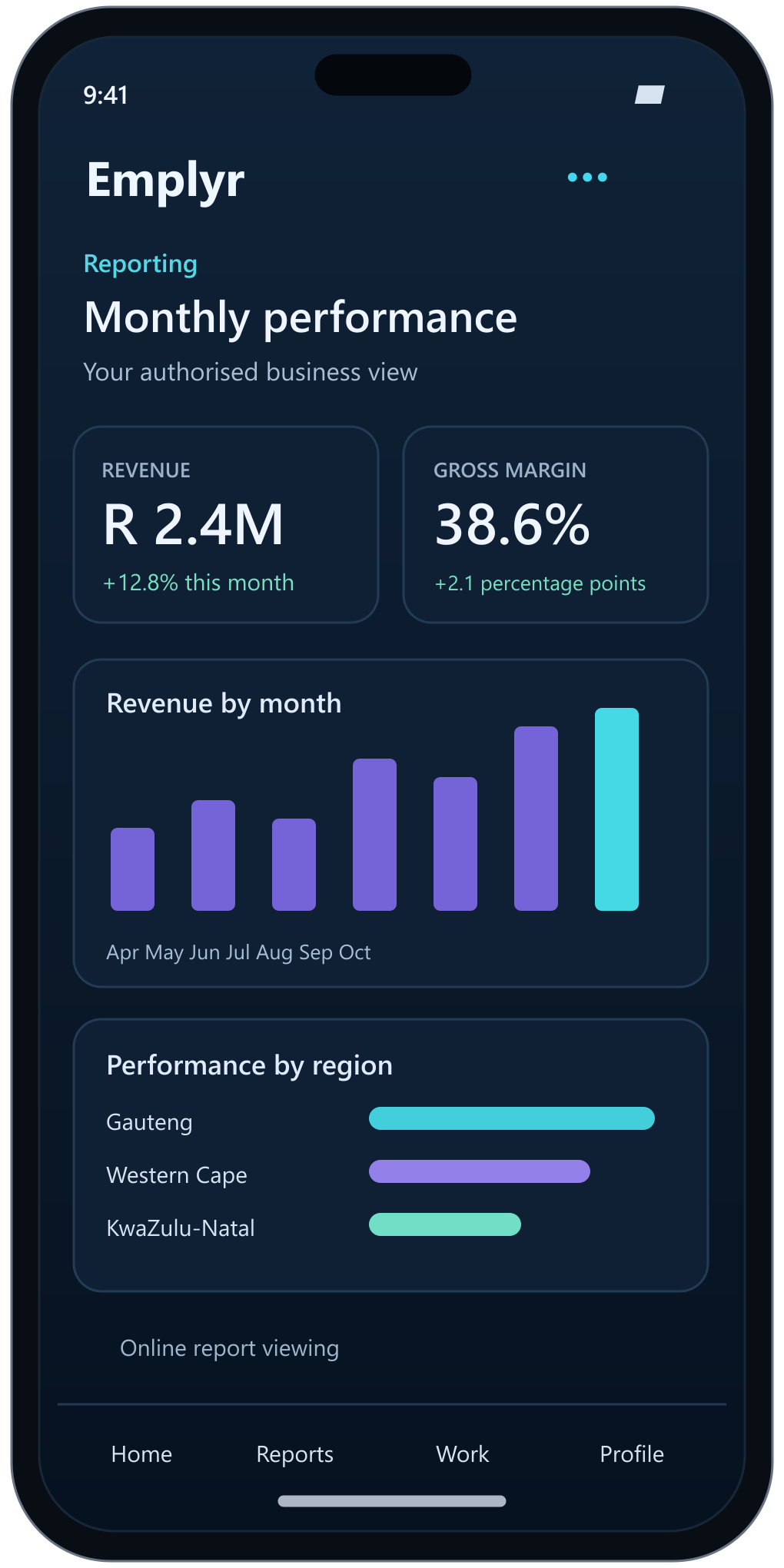
Bring authorised Power BI reports into a focused experience. Users find what is relevant to their role, return to personal views and explore the detail behind a number.
- Embedded Power BI reporting in the Emplyr experience
- Personal slicer views for frequently used perspectives
- PDF and PowerPoint export for supported reports
A platform that feels
like your own.
Bring your brand, domain and navigation to the customer experience. Give clients or departments a relevant environment without rebuilding the underlying platform.
- Company branding and custom domain
- Profile-specific themes where configured
- Consistent reporting experience across audiences
Process Intelligence Hub (PIH)
Your Lakehouse data.
Ready for operational work.
The ready-to-use operational layer for Microsoft Fabric. Connect trusted data to processes, workflows, assignments, enrichment and writeback.
Your Lakehouse already contains the data your business runs on. PIH puts it to work.
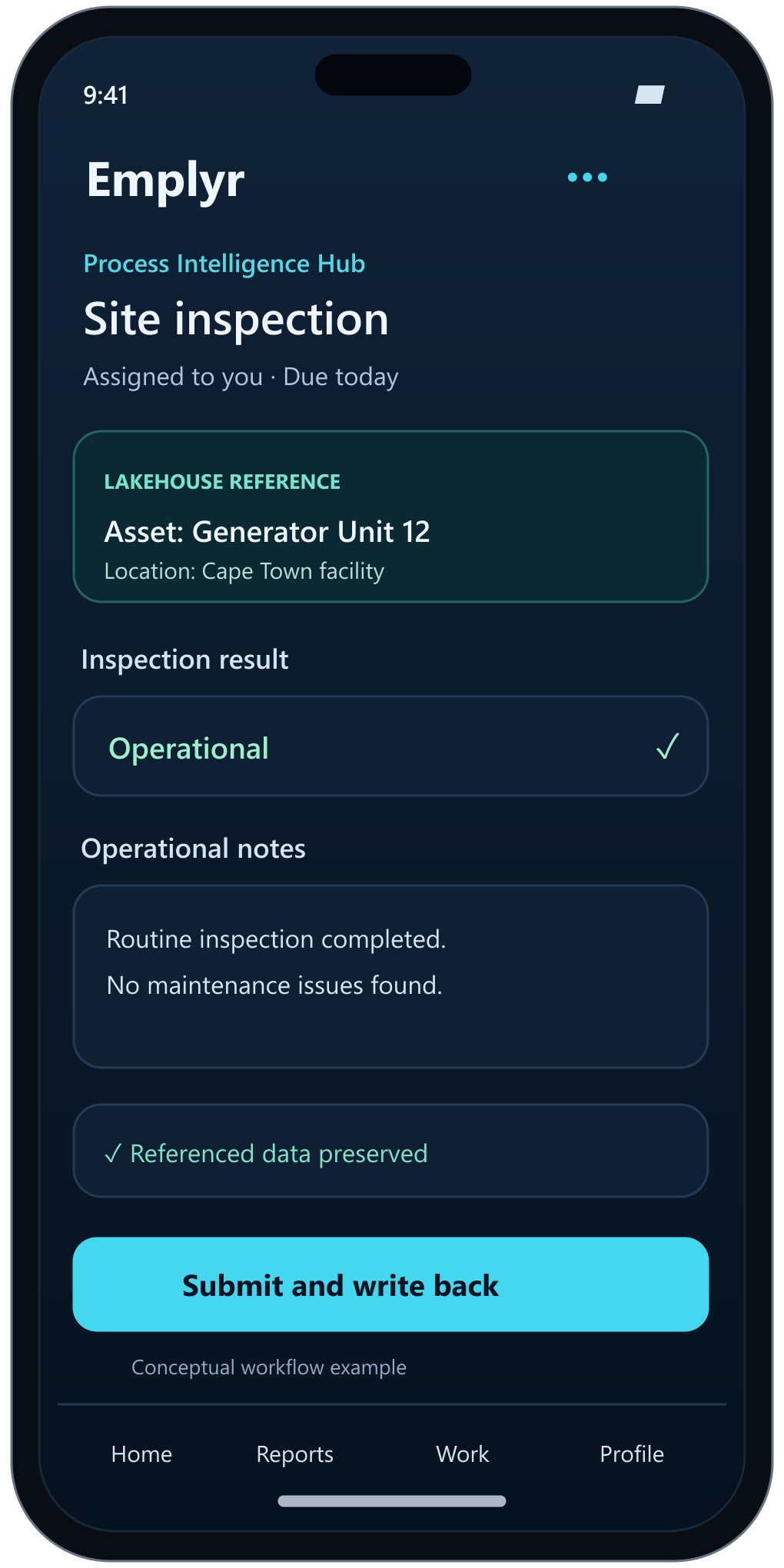
Connect PIH directly to your existing Microsoft Fabric Lakehouse. Reference the data you already trust, capture the operational information around it, and return enriched records to your data foundation.
Start operating without building a separate operational layer from scratch. Connect, configure your process and give users a ready-to-use experience.
Explore the Process Intelligence Hub →Mobile app experience
Insight where you work.
Participation on the move.
Access reporting on mobile and tablet, and use the optional Process Intelligence Hub to capture the operational information behind your business.
Mobile app experiences
Reports on mobile and tablet.
Bring authorised Power BI reports into the Emplyr experience so users can reach information relevant to their role while away from their desktop. Power BI report viewing requires an online connection.
Forms, registers and assigned work.
With the optional Process Intelligence Hub, users can participate in configured forms, registers, assignments and approvals, enriching referenced Lakehouse data and writing operational updates back into the bigger picture.
Selected work beyond connectivity.
Selected configured process content, such as downloaded assignments or forms, can support offline participation and synchronisation when connectivity returns. This applies to process participation; Power BI reports remain online.
Location check-ins where configured.
Configured processes can include location check-ins, subject to the device capabilities and permissions required for location capture.