 Emplyr
Profiles, people & access · Members, workers and directory groups
How to invite a member to a profile
Add an email-account member and assign a profile role.
On this page
Before you start
- Select the correct profile and have its roles ready. You need permission to edit members and assign roles. Confirm the person’s email address.
Follow these steps
Screenshots use fictional training data. Names, dates and amounts are examples. Select an image to view it at full size.
- Open Users in the selected profile and select Add member.
- Enter the person’s name and surname. If Login method is shown, choose Email invitation, then enter their Email address.
- Under Assign roles, choose the existing profile role that matches their responsibilities. Check the role’s permissions before submitting.
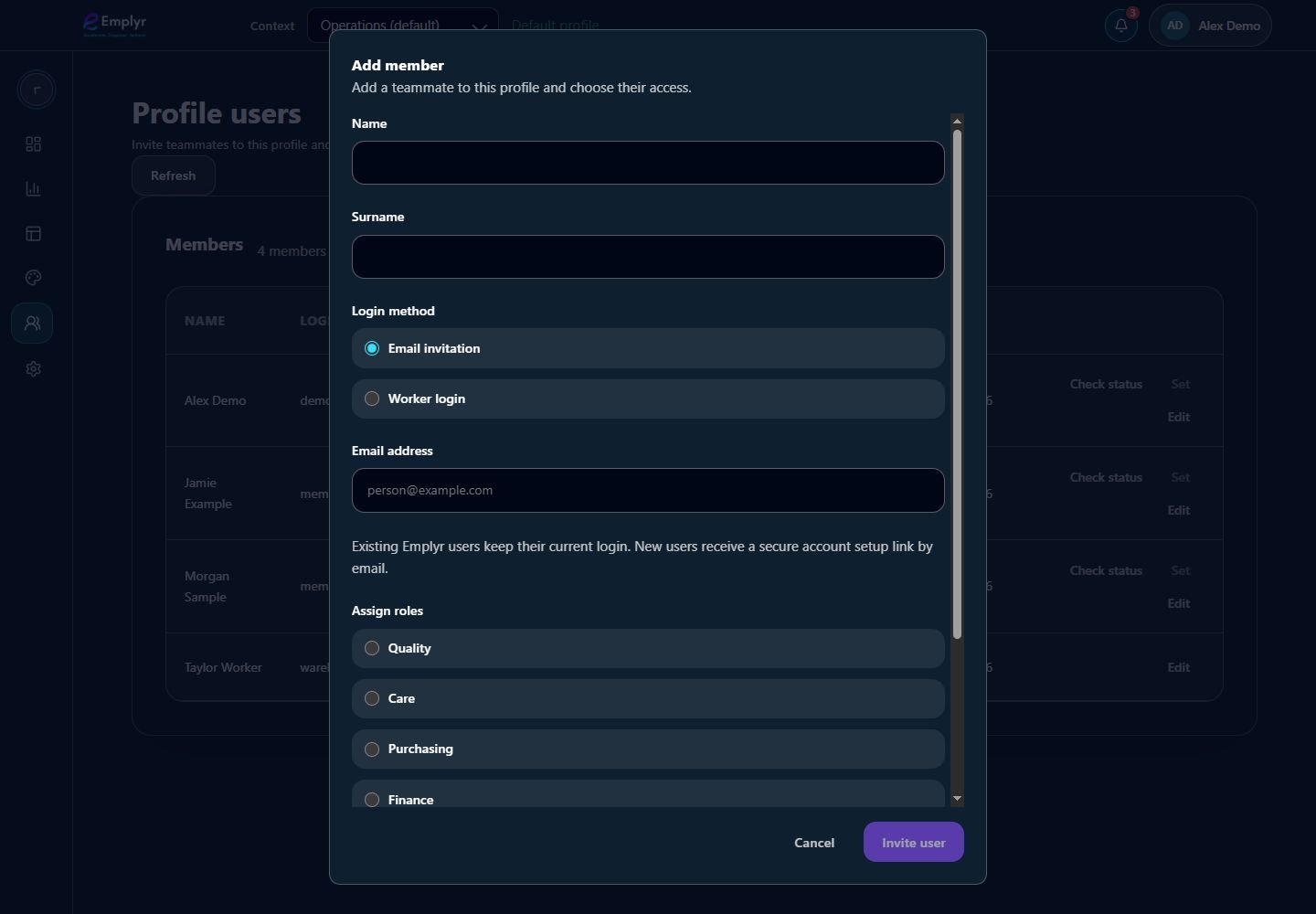
Use Email invitation for an email account and select the roles the person needs in this profile. - Confirm the addition using the form’s submit action and wait for the result.
- Tell the person which Emplyr address and profile to use. New email accounts receive a secure setup link; existing accounts keep their current login password.
- If the person also needs Microsoft Fabric tenant/workspace access, complete that separate invitation/access flow only when their role and the profile’s Fabric Access module permit it.
What you should see
The member is assigned to this profile. You never receive or set their email-account password.
If something goes wrong
There are no roles to choose
Create a role at Settings → Roles in this profile first.
The invitation email does not arrive
Confirm the address and the invitation result, ask the person to check junk mail, and have an instance admin check email delivery. Existing accounts should try their current login.
The person has no business email
Use the worker-login management guide instead of inventing an email address.