 Emplyr
Sign up & instance setup · Choose, purchase and set up
How to sign up and get an Emplyr instance
Choose Managed or Bring Your Own Fabric, purchase through Microsoft, and understand what happens before your team can start.
On this page
Before you start
- Decide who is authorised to purchase and who will administer Emplyr. If you are joining an organisation that already uses Emplyr, ask for an invitation instead of buying or creating another instance.
Managed and BYOF compared
On smaller screens, scroll the table sideways to see all columns.
| Question | Emplyr Managed | Bring Your Own Fabric (BYOF) |
|---|---|---|
| Fabric resources | Emplyr provisions a dedicated runtime identity and workspace on its configured regional capacity. This does not promise a dedicated capacity per customer. | Your organisation supplies its accessible Fabric tenant, eligible capacities and workspace access. |
| Microsoft administration | Emplyr’s platform team maintains Managed provisioning and the shared event destination. | Your Microsoft administrators prepare the service principal, permissions, capacity events and approved credentials. |
| What you create in Emplyr | A customer instance, then profiles, roles and enabled modules. | The same customer instance/profile structure, connected to your Fabric environment. |
| Base trial starts | After successful Managed provisioning. | After the first successful Emplyr capacity activation. |
| Where the app runs | Emplyr operates the application. | BYOF brings Fabric; it is not an instruction to deploy the Emplyr web application into your Azure subscription. |
Understand the trial dates
The current Emplyr base-access flow has a 14-day first trial, starting after successful Managed provisioning or the first BYOF capacity activation. Process Hub has its own 14-day trial on first activation. Check the actual dates in Subscription & modules → Access & trials; these are separate from any Microsoft Marketplace offer trial and your underlying Fabric resource charges.
Which guide should I follow?
Follow these steps
Screenshots use fictional training data. Names, dates and amounts are examples. Select an image to view it at full size.
- Choose the hosting model using the comparison below. Managed supplies an Emplyr-managed Fabric identity and workspace; BYOF connects the Fabric tenant and capacities your organisation manages.
- If purchasing through Microsoft, start with the shared Azure Marketplace purchase guide. The purchased offer/plan determines Managed or BYOF; the later Customer instance selector does not change hosting model.
- From the purchased subscription choose Configure Account. In Set up Emplyr, use Sign in with Microsoft with the verified purchaser or beneficiary identity. A first-time identity can create its Emplyr account through this flow.
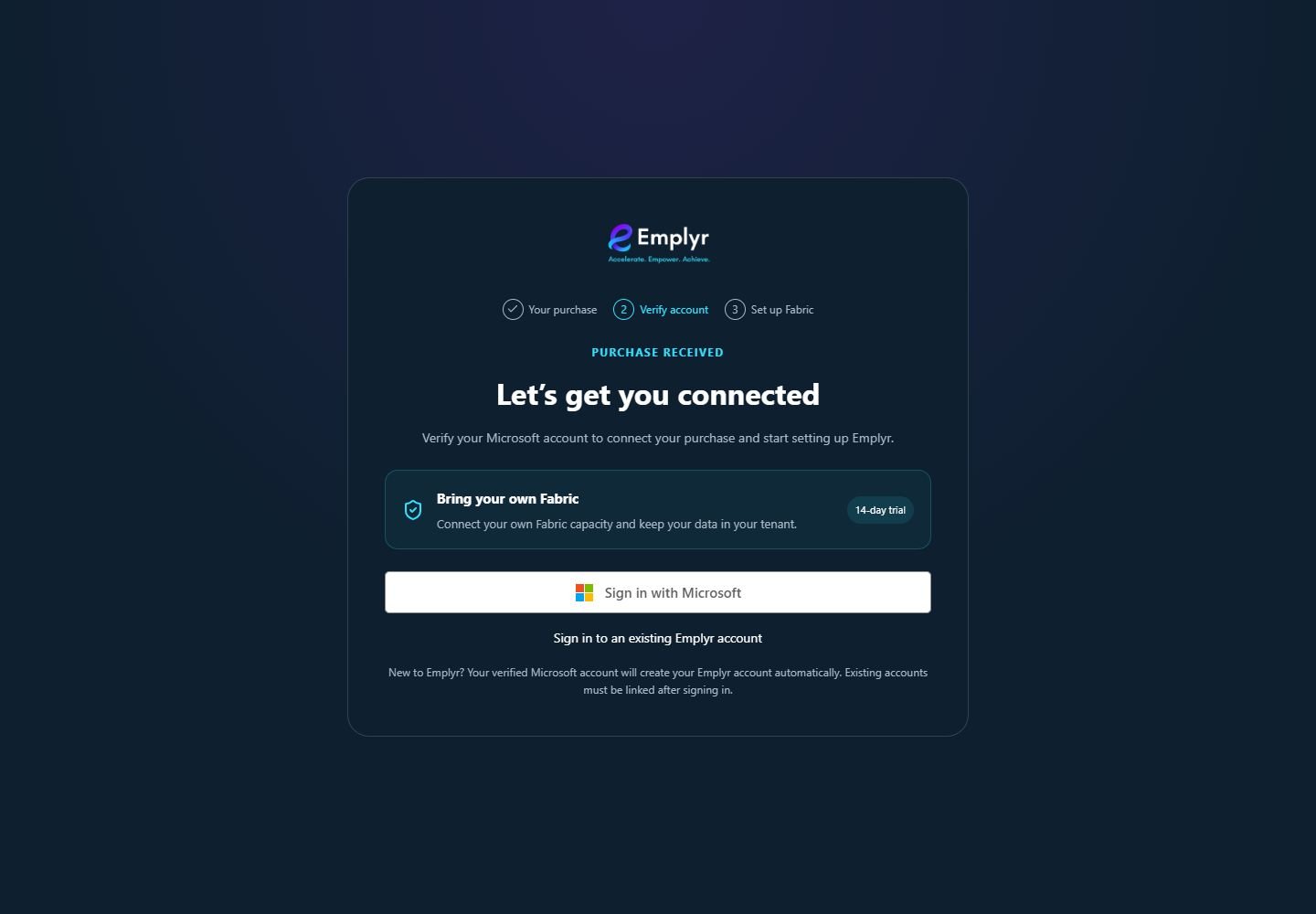
After Configure Account returns you to Emplyr, check Bring your own Fabric and verify the intended Microsoft purchaser or beneficiary identity. - If an Emplyr account already exists, verify it using its existing credentials and use Link Microsoft account before continuing. Keep the account you want to administer the instance signed in.
- At Customer instance choose Create a new instance, enter its name and choose Continue to Fabric setup. Select an existing instance only if that is the intended customer and your account has its active Admin membership.
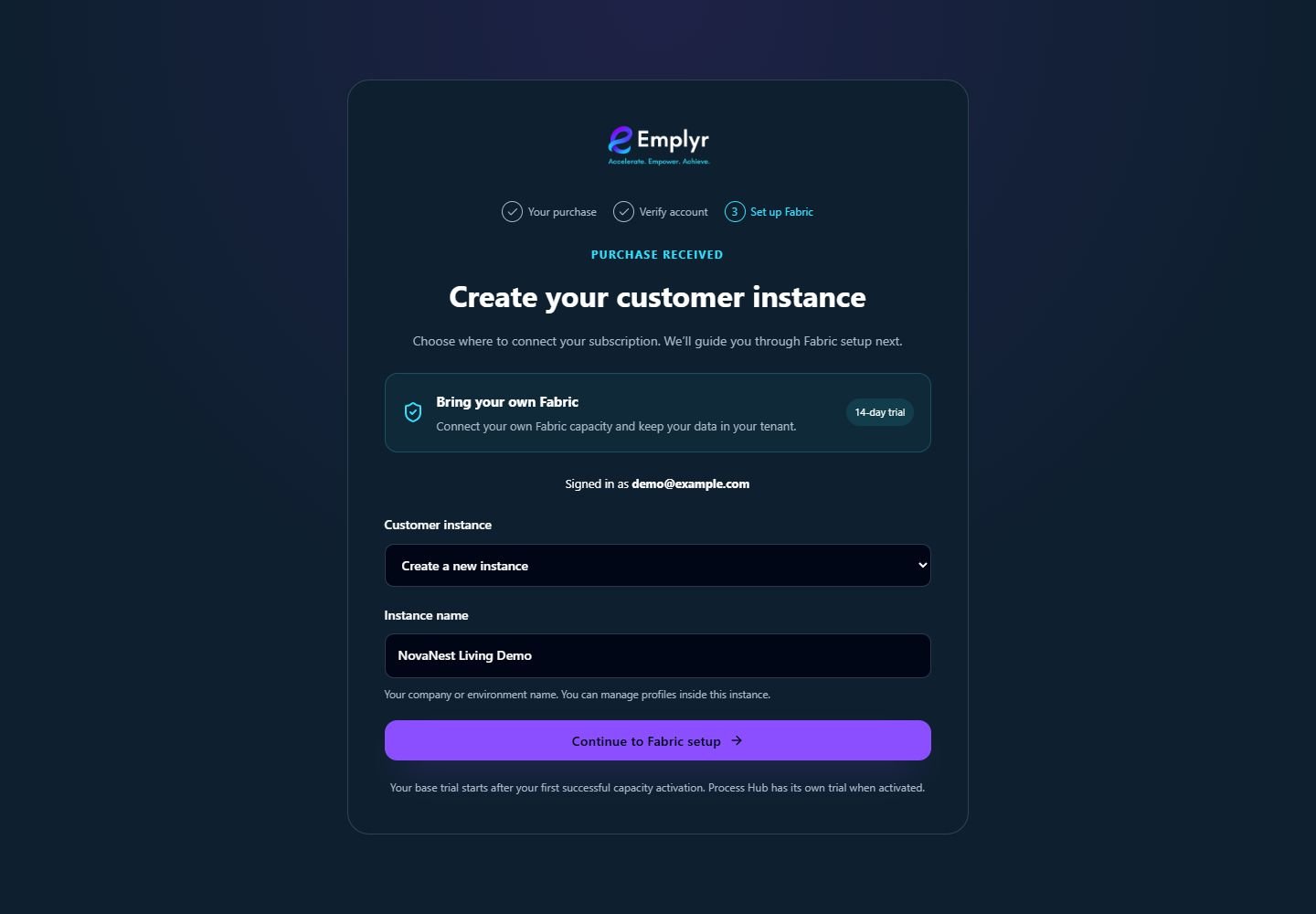
Check the BYOF hosting label and the signed-in identity before creating the named customer instance. - Follow the Managed or BYOF setup guide. Finish the connection/provisioning and event-feed checks, then verify the instance readiness and subscription activation separately.
- Once ready, create the first client/department profile, bind its approved workspace, enable the required modules and assign roles. Activate Process Hub separately if needed; send members their normal invitation and first-session guide.
Example: setting up NovaNest Living
The authorised purchaser chooses the intended hosting model and creates “NovaNest Living Demo” in the purchase setup flow. Its administrator then creates an Operations profile and assigns the Warehouse and Quality roles. Colleagues join that instance by invitation; each colleague does not purchase their own instance.
What you should see
You have the intended customer instance, understand its hosting model, and know which setup and access checks remain before inviting the team.
If something goes wrong
I only need to join my employer’s existing instance
Use an invitation from its administrator. Your personal account, the organisation’s instance and the active profile are different things.
I already bought Emplyr but found the email signup page
Return to Configure Account on that purchase. Creating a second unrelated instance will not automatically connect the subscription.
Can I move from BYOF to Managed later?
Changing hosting is a separate reviewed migration, not a toggle in signup. Choose the correct purchase route now and involve the commercial/technical owner before changing an existing instance.