 Emplyr
Process Hub · Use processes and complete work
How to review record history, duplicate and archive
Distinguish an audit review from creating a copy or changing record visibility.
On this page
Before you start
- Open the intended deployed process. Your available actions depend on its type, lifecycle rules and your permissions.
Follow these steps
Screenshots use fictional training data. Names, dates and amounts are examples. Select an image to view it at full size.
- Search for the record and confirm its identifier and current status.
- Use View history when offered to see saved changes, their time and actor. This is useful before asking why a value changed.
- Use Duplicate only when you need a new business record based on the existing one. Review copied values and identifiers before saving/submitting the new record.
- Use Archive only when the record should leave active views and you are authorised to do that. Read the confirmation and any configured reason requirement.
- After archiving, review the selected view/filter before concluding the record was deleted. Archived register records are hidden from active views and retained in audit history.
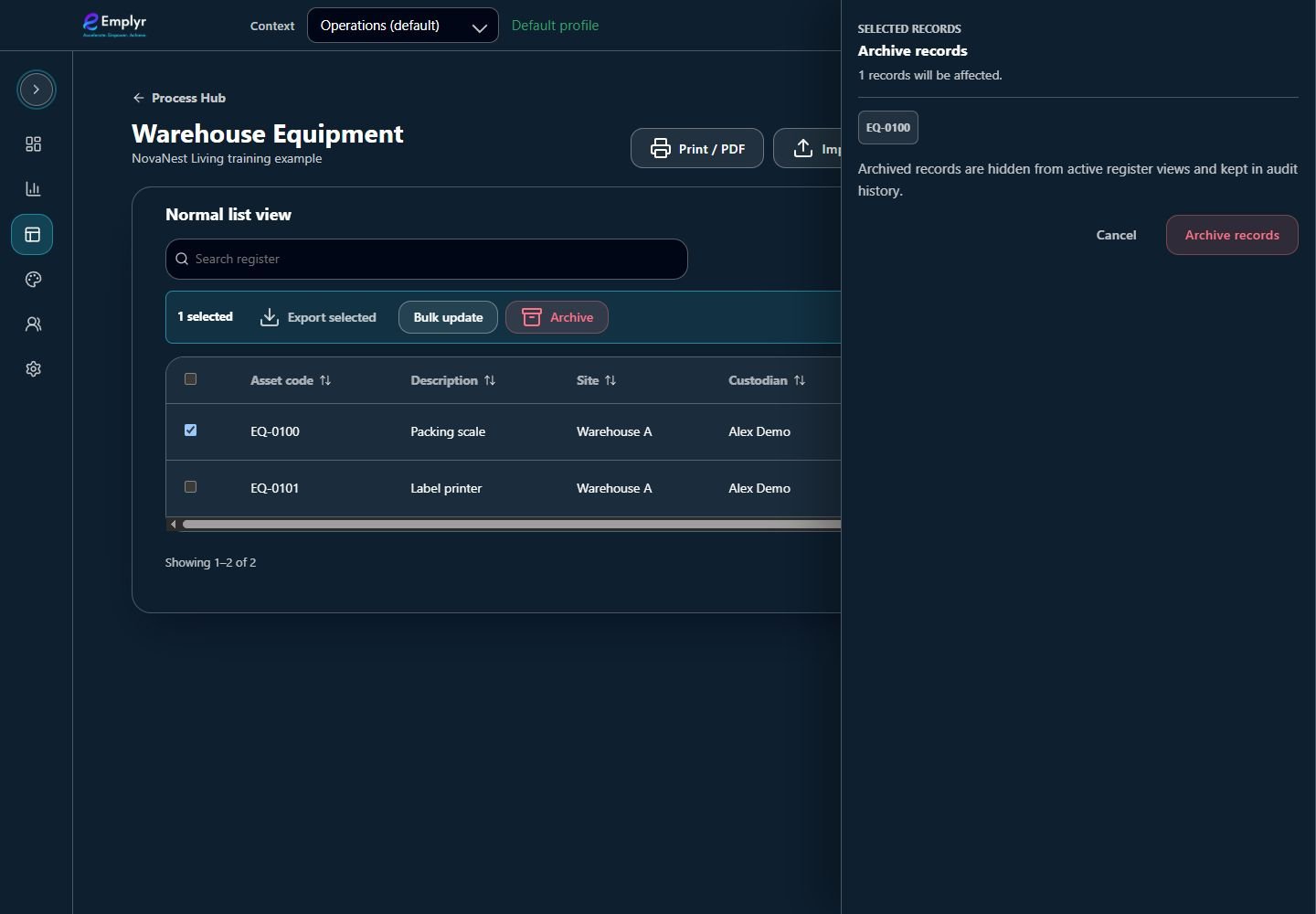
Check the selected record before confirming archive. Archived records leave active views but retain their audit history. - For an actual data correction or purge, ask the process/data owner to use its approved procedure. Do not use duplication or repeated imports as a substitute for correcting a record.
What you should see
You can trace saved changes and avoid confusing a copy, archive action or active filter with deletion.
If something goes wrong
View history is missing
The configured record view/type may expose history differently. Ask the process owner rather than assuming no audit exists.
Duplicate or Archive is disabled
Lifecycle state, dependencies and permissions can restrict these mutations.