 Emplyr
Process Hub · Connections and lookup sources
How to manage connector sources, upgrades and profile access
Expose only approved sources and maintain a paired installation.
On this page
Before you start
- Have Admin access to the correct instance and Windows administrator access when changing the installed service. Coordinate active bindings with their profile owners.
Follow these steps
Screenshots use fictional training data. Names, dates and amounts are examples. Select an image to view it at full size.
- Open Admin / Global → Connectors. Check the installation’s identity, heartbeat and configured source connections.
- Grant each approved source connection to the specific profiles that need it. A connector installation can contain several databases; do not assume all should be visible to every profile.
- Have the profile integration manager select the granted source in Settings → Process Hub → Connections and test/deploy the intended binding.
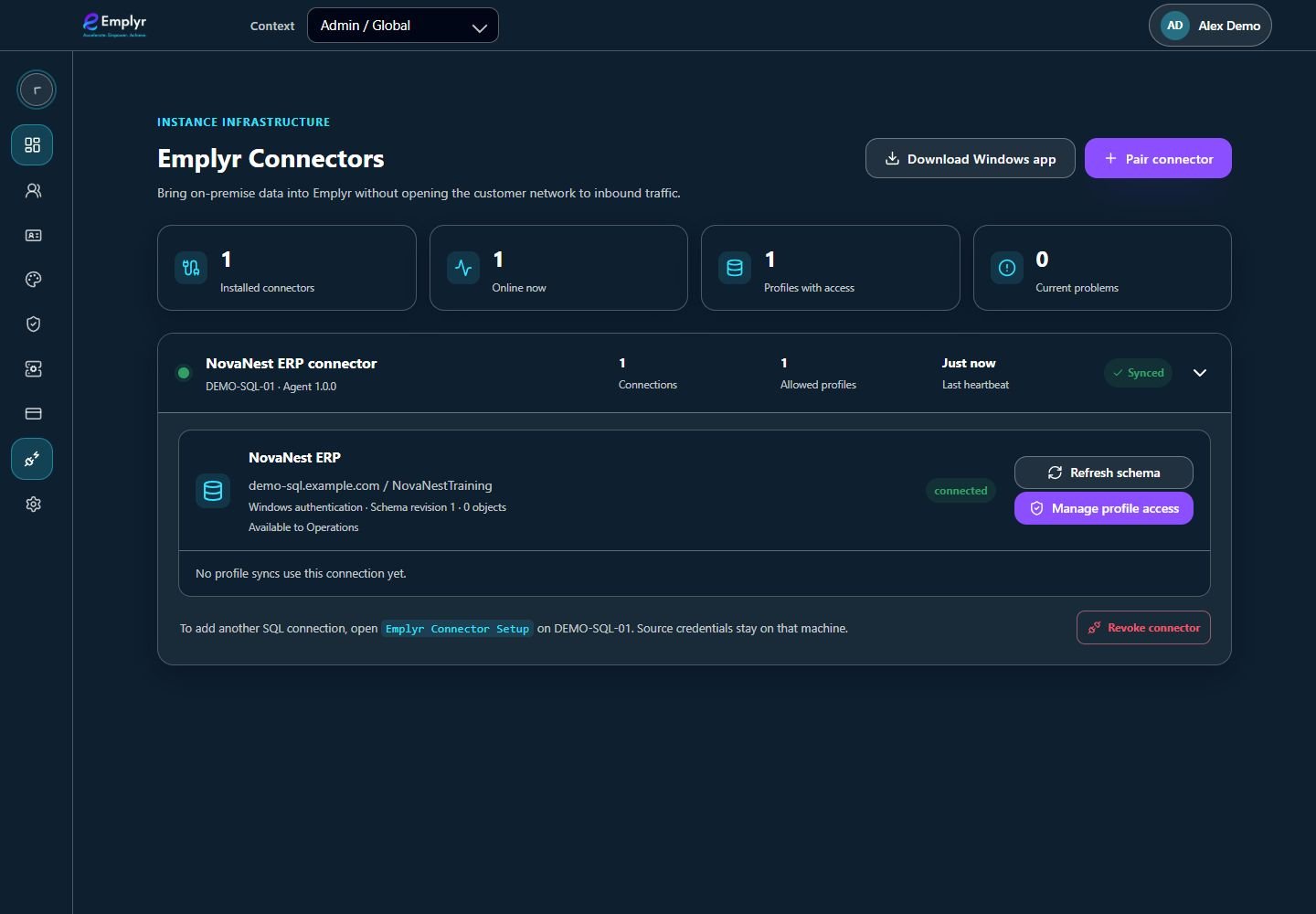
Expand the connector source and use Manage profile access to grant it to the intended profiles. - To add another local SQL connection, open Emplyr Connector Setup on the Windows machine, configure/test the approved connection and save it through the paired setup flow.
- For an upgrade, extract the new package, run its setup as administrator and select Update connector service. Review the saved service identity and test results for existing connections.
- When retiring access, remove the relevant profile source grant and review paused/dependent bindings. When removing the installation, remove it locally and revoke the connector in Emplyr.
What you should see
Approved profiles can use only their granted physical sources, and connector maintenance preserves a deliberate service identity and configuration.
If something goes wrong
The profile still cannot see a granted source
Check the active profile, current heartbeat, source status and connection-management permission.
Upgrade cannot replace a locked executable
Use the extracted setup package’s retry/update flow. Keep the existing protected configuration and checkpoints intact.
You need to revoke just one database
Remove/review that source’s profile grants rather than granting or revoking an entire installation without checking other databases.