 Emplyr
Instance administration · Subscriptions, billing and capacity
How to review subscription billing history
Read daily charges, adjustments, reporting evidence and open issues.
On this page
Before you start
- Use the correct instance’s Admin membership. Have the month and any provider/invoice reference you are investigating.
Follow these steps
Screenshots use fictional training data. Names, dates and amounts are examples. Select an image to view it at full size.
- Select Admin / Global → Subscription & modules and open Billing history.
- Choose Billing month. Wait for that month’s loading state to finish; the previous month’s rows may remain visible while it loads.
- Review Daily charges & adjustments and the accrued estimate for the selected period. Check dates, component and currency before comparing totals.
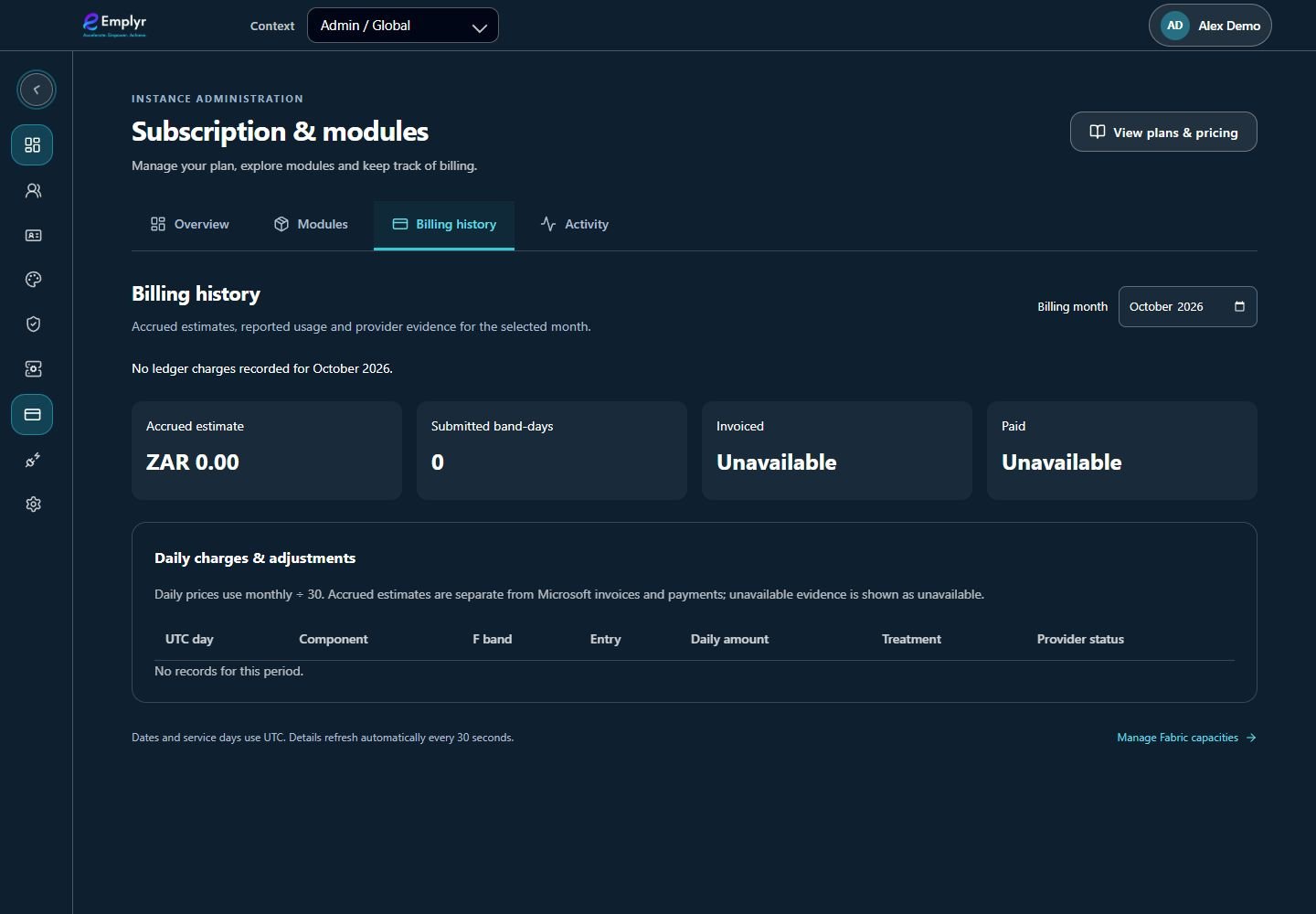
Choose the month and distinguish calculated estimates from submitted or invoiced amounts. - Inspect the available provider submission, invoice and payment evidence separately. A reported/accepted submission is not by itself an invoice or payment receipt.
- Open Subscription activity or View activity for calculated-day coverage, incomplete telemetry and items needing attention.
- For an unexplained amount or gap, send the instance, month, affected day/component and safe reference to the commercial administrator. Do not retry a provider submission yourself.
What you should see
You have the relevant period’s ledger and can distinguish estimated charges from provider/invoice/payment evidence.
If something goes wrong
A service day is incomplete
Review telemetry coverage in Activity and ask the administrator to fix collection/reconciliation. Refreshing a usage chart does not manufacture missing events.
An issue disappeared after recovery
Recovered operational exceptions can clear after successful recovery. Check current evidence and activity rather than assuming an old issue is still active.